Welcome!
Let us help you improve your search engine rankings,capture
traffic, monetize, and make your blog look awesome!

Link Roundup - 20 Essential Ways To Increase Blog Traffic

You don't want to miss this!

Getting Traffic 107 - The Mega SEO Resource Guide

Can you handle it?

Follow us on your favorite networking site!

Stay up to date with all the latest Blogging tips and tricks!

Building Your Blog 500 - Guest Posts On Your Blog

Are Guest Posts For You?

Showing posts with label content. Show all posts

Thursday, May 17, 2012

Building Your Blog 101 - Planning Your Blog

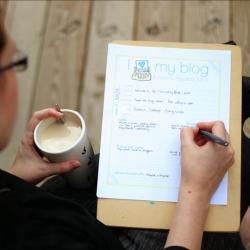
I'm assuming you're here because you need some help planning out your new blog, or perhaps looking for a new way to get more organized with a well established blog.  A lot of this has to do with time management, which you can view a post on HERE.  In this particular post though we're going to steer clear of time management and focus more on three things:

1) Planning a posting schedule
2) Planning content
3) Planning goals for the blog and meeting them


1) Planning a posting schedule

I came across an interesting article the other day on The Dainty Squid.  This blogger came up with an ingenious way to organize and keep track of when she'll be posting certain articles.  Check out the article:  The Dainty Squid: Blog Planning.

Posting regularly is important for a successful blog.  Sometimes I'll post two or three articles a day if the mood really strikes me, and other times just one.  For me being flexible is important, and the author of The Dainty Squid has worked flexibility into her blog planning.  I do aim to post a certain number of articles a week/month however, so for me that's about as far as my scheduling goes.  I do keep track of what I will be writing next however, so that I always have a direction to go when I have some time to sit down and write.  I hate wasting time when I sit down to work on my blogs.

2) Planning Content

I'm sure you've already read our post about how Content is King, but if you haven't, head over to see the vast list of how you can generate ideas for new content on your blog.

One thing you can do in planning out content for a month, or even a year, is to brainstorm about topics you can turn into a series of articles.  This is like blogging in different themes.  Lets say you have a dog blog.  For the month of June you might plan on doing a special series of dog training posts.  Then in July you might do a series about different brands of dog foods and their pros and cons.  Of course you can still blog on other topics during this time, but making a series of posts out of a theme is a great way to come up with lots of great content.  You can also get your readers amped up about the upcoming series of posts you'll be writing, and how important it will be for them to subscribe so that they can know when the next article has come out.

3) Planning blog goals for the blog and meeting them

There's an article by Fuel Your Blogging HERE that I really want you to see for planning out a year of blogging.  It primarily has to deal with setting goals and expanding your horizons as a blogger.  It is well worth the few minutes it will take to read it.

Aside from just reading the article above, I want to take a moment to talk to you about goal setting, because I find that a lot of people don't know how to make a proper goal, and end up setting themselves up for failure.  When setting goals you should set smart goals, or: 

S - Specific
M - Measurable
A - Attainable
R - Relevant
T - Time-bound

This means that instead of just saying, "I'm going to grow my blog," you will have to be specific and say, "I'm going to go from 10 subscribers to 30 subscribers this year."   By doing this you've gone from a vague non-specific goal, to something specific, something you can measure (how many new subscribers), something that's not way out there and unreasonable (it's attainable), it's relevant to what your blog needs, and it's got a deadline (this year).
  • Setting a specific goal lets you know what the bottom line you're working towards is.  
  • Making it measurable allows you to track how you're doing in working towards this goal.  
  • By setting a reasonable goal and making it attainable, it means you're not setting unreasonable expectations of yourself or your blog, and you're not setting yourself up for failure. 
  • Getting new subscribers is something relevant to your blog, as opposed to setting a goal saying that you're going to buy a new cat this year (which has nothing to do with your blog).
  • Setting time-limits gives you a deadline, and will help you to track your progress.  Ultimately, if you meet your goal by this deadline, you know you have succeeded.  If you have not met the goal by the deadline, then you've failed, but you can still work towards the goal at a later date.
Once you have a smart goal, you can start laying the foundations of a plan to accomplish this goal.  It's much easier to focus on something specific and how to acheive it such as "increase subscribers" rather than just, "grow my blog."  For instance, you might increase subscribers by asking them at the end of each post to subscribe, or by adding more subscribtion buttons in more visible and prominent places on the blog, or even by running a contest and giving away a product to one of your subscribers.  If you didn't have a specific goal, you wouldn't be able to work towards it.

When planning your blog, do you use any of these strategies?  What are some other ways you plan out your blog?

Don't forget to comment below, and subscribe for more great articles and tips about building a successful blog!

Tuesday, May 15, 2012

Getting Traffic 106 - How To Scare Away All Your Visitors

So I'll bet you're wondering why you'd want to scare away all of your visitors, right?  Well, no, you probably aren't, and there's no good reason to want to.  You want them to come in, relax, and stay a while.  Let's have a gander at some things we shouldn't do then if we want to keep our readers.

1) Pop-ups

Pop up ads are like shoving a blood-sucking vampire into the face of someone who's just walked in your door.  Even if the pop-up is just asking visitors to subscribe, they are an irritation that will make visitors not want to come back.  Who wants to close out a popup every time they visit your blog?


2) Ad Viruses

For this one lets think back to websites like surfthechannel (if you ever went there).  Surfthechannel was a website that let you watch TV and movies for free.  The issue: they sold advertising space to people who were lacing their ads with viruses.  So every time a visitor went into the site and the advertisement loaded, a virus was downloaded to the user's computer.  Lesson for bloggers: Be careful of who your ad space goes to.  Google Adsense and Chikita are two good advertising companies you can trust, but you will need to be wary if you sell ad space to individuals.

3) Linking to Questionable Sites

This is almost the same as point number two.  Be sure that if you link to another website or article in a post that you thoroughly check the site out to make sure that a) they aren't fraudulent, b) their site doesn't have any viruses c) the ads on their site don't have any viruses.  If you send people to sites that are fraudulent or give them viruses, they're not going to come back to see where else you might send them.

4) Lack of Content

We've talked about what a lack of content can do to your site before... it can kill it, and let's face it, who wants to walk in on a murder scene?  People are visiting your site looking for good content, and probably lots of it.  If they come in and see only a few posts, they're going to hit the back button.

5) Trying to Sell Something That Looks Fraudulent

How many of you have stumbled across a site that looks crisp and clean, but the only thing on the site is an attempt to sell you somebody's secret way to make millions of dollars?  People are generally very quick to back away from anything that looks too good to be true.  Lesson:  If you're selling something legitimate, then don't oversell your product, and sell it through a legitimate selling platform like Amazon or Zazzle.

6) Websites That Aren't User-Friendly

The basic concept of web design is that your website needs to be user friendly and be easy to navigate.  People should be able to find what they need in just a few clicks.  If you frustrate your visitors by writing information they can't even navigate to, then they won't be coming back.

7) Music

Back in the early days of the internet, somebody somewhere thought it would be a cute idea to put music on their website so that people could listen to that cute little song that made you think of kittens while you browsed their page.  And then someone thought that they should put heavy metal on their goth site, and another person wanted music on their site too.  But what if your visitors don't want to hear the type of music you stuck on your site?  What if they're sitting in bed in the middle of the night next to a sleeping spouse, and your page starts blaring death metal at top volume unexpectedly?  Music on your site: don't do it!

8) Profane Content

Ok, so maybe you have a site dedicated to obscene photos or language.  If so, then ignore this point.  But if you're a regular blogger like most of us are, then keep in mind that the average user doesn't want to see obscene pictures or bad language (and neither do most advertising companies like Adsense or Chikita).  Be careful, you may not be cursing or posting bad pictures, but what about your advertisers?  This is the same as advertisers putting viruses in their ads.  You have to be wary of what ads are going on your site, or you may come in one day to see a naked pic of some guy or girl there in your sidebar or between your posts.

9) Loud Advertisements

It seems that somehow we keep coming back around to advertisements on your blog.  Some of the ads I hate the most are the ones that are a video that starts playing a few seconds after you enter a site.  This goes right with point 7.  If visitors don't want automatic music on a site, they don't want noisy ads either.

While I'm sure there are a lot more things that webmasters can do to scare away all of their visitors, these are some of the top ways to get the job done.  What do you think?  What are some things that chase you away from a website?  Let us know in a comment below, and don't forget to subscribe for more great tips on building your blog!

Sunday, September 25, 2011

Money From Micro-Blogs 402 - Don'ts

Now that you know what a micro-blog is and how it can be used to make money, perhaps you've decided you'd like to try your hand at it.  Let's go over some things you should avoid while micro-blogging then.  You may notice many of these things also apply to regular blogs... that's because it's good information.

1) Too Little Content

Avoid starting a blog that you don't plan on putting much content on.  Example: don't start a blog about cars and then only upload 10 posts.  This blog will sit stagnant and never make a dime... and if it does make a dime, it probably won't make anything after that.  Starting a blog with only a few posts and never working on it again is just time wasted that you could have spent updating or blogging on a larger blog.

2) Topics You Don't Know About

Why on earth would you start a blog about something you know nothing about?  I don't know, but some people do.  They probably think along the lines of, "Oh... finance is a hot topic right now, so I'll start a blog about it and make some money!"  Wrong.  How can you write any content if you don't know much about it?  You also don't want to give misleading information.  If you're going to blog, you need accurate, trustworthy information so that your guests will come back, or send their friends.

3) Starting Something You Don't Care About

This goes right along with points one and two.  You may know quite a lot about finance, but aren't passionate about it.  Why write about it then?  It's guaranteed that if you don't at least care about the topic a little, then you'll end up abandoning the blog at some point down the road (waste of your time at that point), or your content will turn out flat and uninteresting, which will leave your blog stagnant with no returning visitors (also a waste of your time).  If you're going to take the time to do it in the first place, then write about what you know, and love.

4) Avoid over-Advertising

Have you ever seen a blog or website where there was actually more advertising than there was actual content?  Avoid bombarding your readers with advertising or they won't stay long, and won't come back.  They're there for actual content, not ads.  Ads are meant to be unobtrusive, and are meant to compliment your site, rather than be the entirety of your site.


5) Avoid grammar, punctuation, and spelling mistakes.

6) Avoid Keyword Overload

I've come across blogs online before that are nothing more than a post or a page full of a bunch of keywords with no actual content.  Not only does this go against Adsense policy, but any visitors you may have will come in, see that there's nothing there for them to read but a list of words that make no sense, and then leave.  They won't click on any of your ads, and they won't send any of their friends.  Odds are you're likely to get reported, and your blogger and adsense accounts suspended.

7) Avoid Plagiarism

This is the big NO-NO in blogging, period.  If you plagiarize you can get hit with lawsuits, as well as get any accounts you may have with blogger or adsense terminated permanently.  Don't do it!  What is plagiarizing?  Plagiarizing is using someone else's  content without their express permission and without giving them credit.  It would be wise to research how to give someone credit online if you plan on using a quote or something from their works at all.

8) Don't Spam

As always, don't spam the web advertising your blog.  This means you don't want to go to forums and just spam your url all over the place.  The same goes for facebook, the e-mail, or any other place you can think of.

9) Don't ask visitors to visit your ads or 'sponsors'.

This is a big no-no and your adsense account will likely be suspended if you do this because this is a violation of policy.  Other affiliate programs may have different policies that allow you to ask them that, but if adsense finds it on your page and have adsense enabled, you risk losing your account.

While there are many more things that you may learn that will hinder your efforts in making money or running micro-blogs, these are some of the bigger ones that I hope you will avoid.

Check out our other tutorials by clicking the category tabs at the top of the page!

Twitter Delicious Facebook Digg Stumbleupon Favorites More